

Demo logo marks #Not endorsements
These images ship with the HTML demo asset pack. They are sample artwork—not customer logos, partner claims, or revenue proof.






Designed for owners and finance #Back office
Finance and operations leaders need the same numbers the stores use: sales, cash movements, purchasing, inventory valuation, and exceptions—without exporting five spreadsheets.
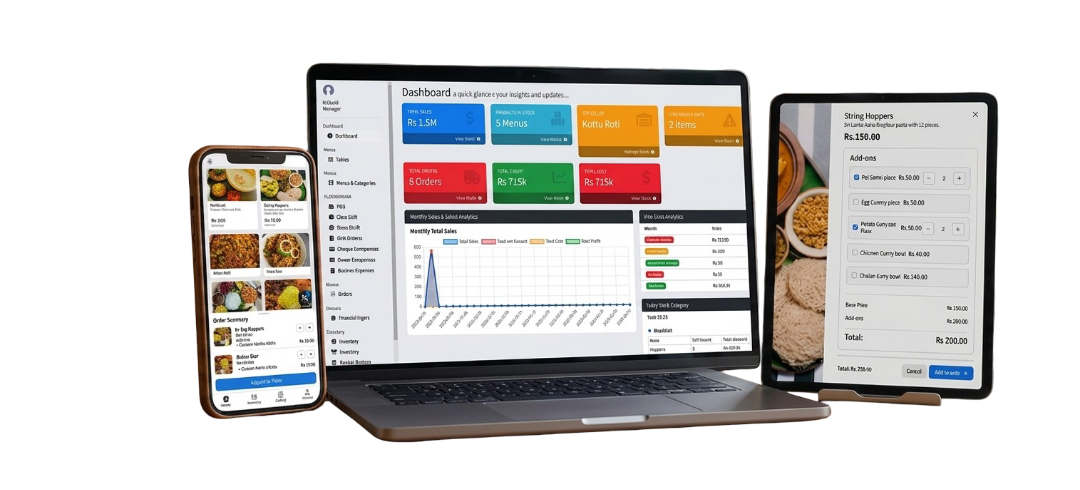
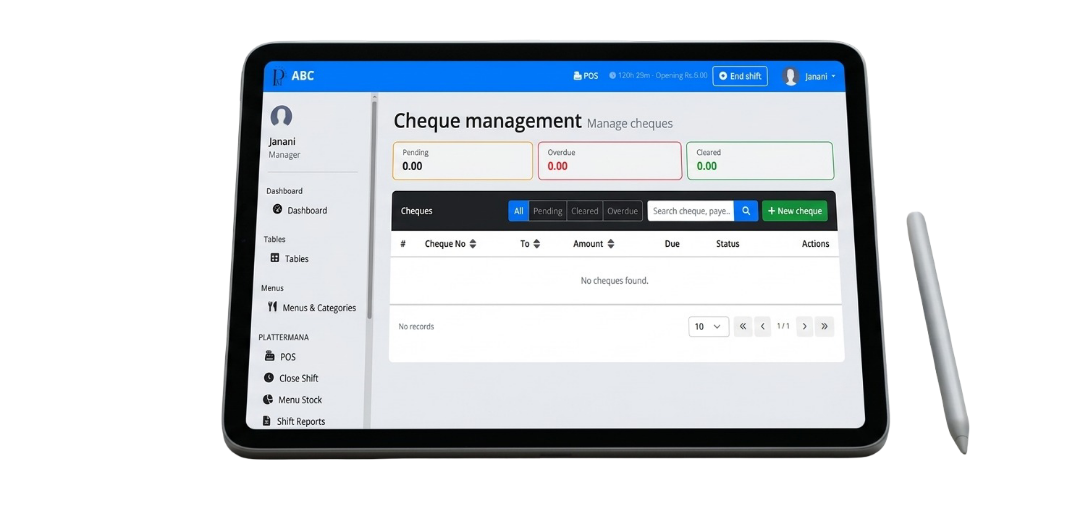
Dasboard
- Displays overall business summary.
- Shows sales, orders, profit, and stock information.
- Provides monthly and yearly analytics charts.
- Enables quick access to system modules.
Special Features
- Real-time statistics
- Interactive charts
- Stock alerts
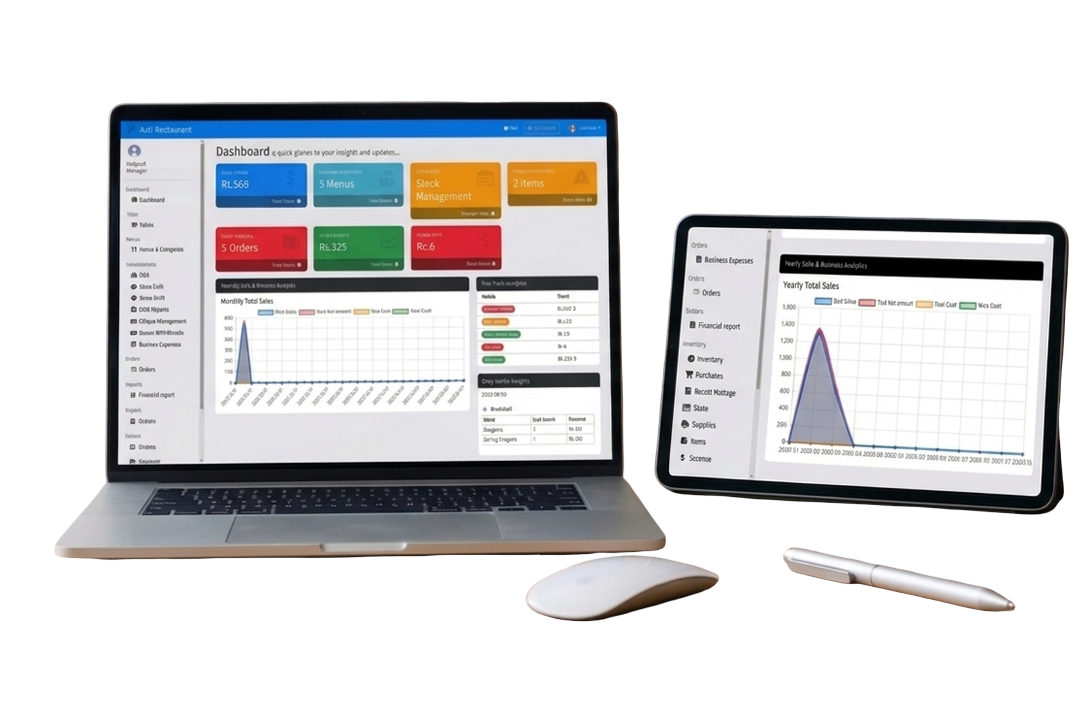
Shift Reports
- Displays full details of each shift (Open / Close).
- Shows shift start and end time.
- Tracks total sales during the shift.
- Displays cash collected and system balance.
- Allows viewing detailed shift summary report.
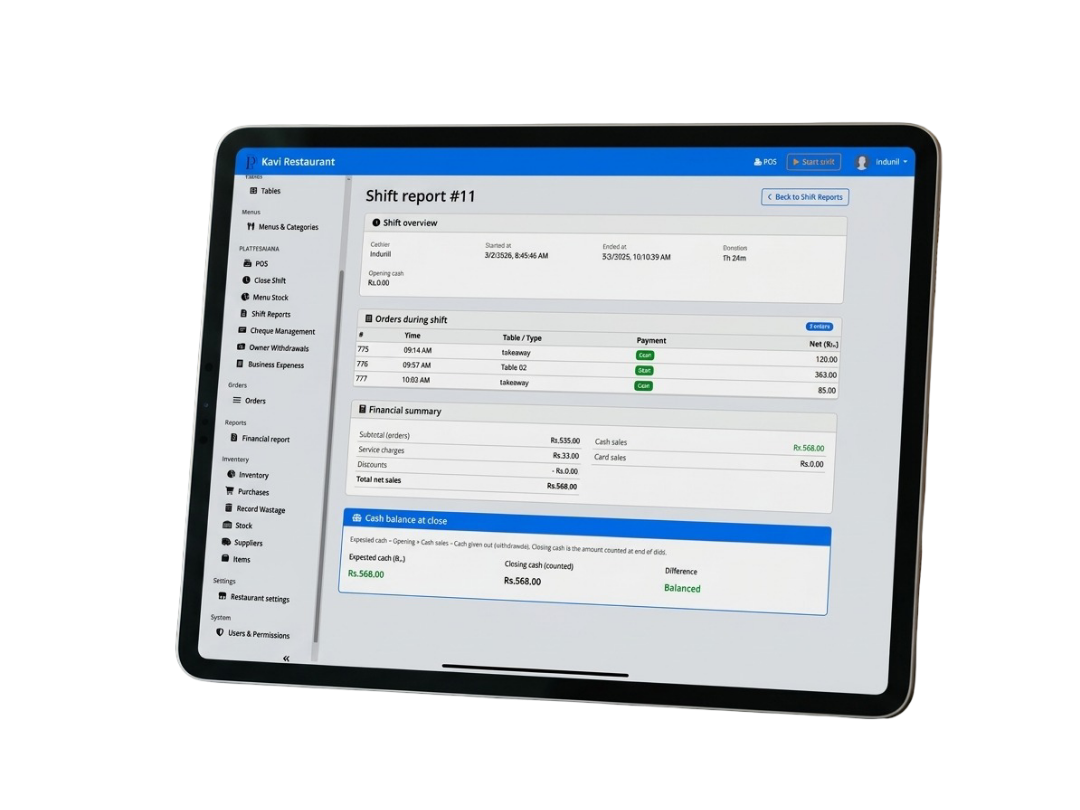
Cheque Management
- Manages cheques.
- Tracks cheque status: Pending, Overdue, Cleared.
- Stores cheque details such as cheque number, receiver, and amount
- Provides search functionality for easy access.
- Allows adding new cheques to the system.
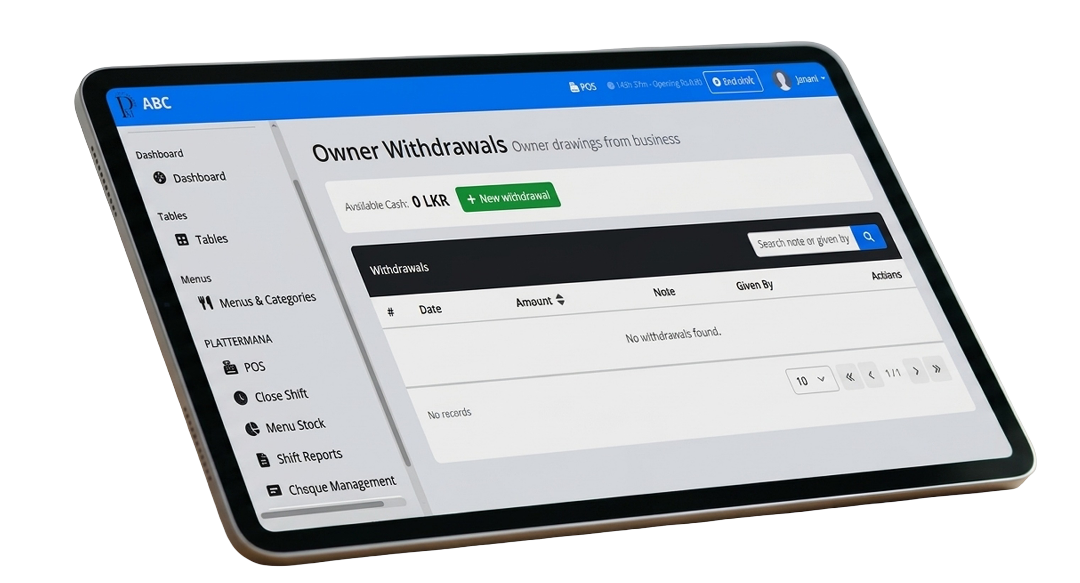
Owner Withdrawals
- Manages cash withdrawals made by the owner.
- Shows available cash balance in the system.
- Records each withdrawal transaction separately.
- Tracks withdrawal history for financial control.
Business Expenses
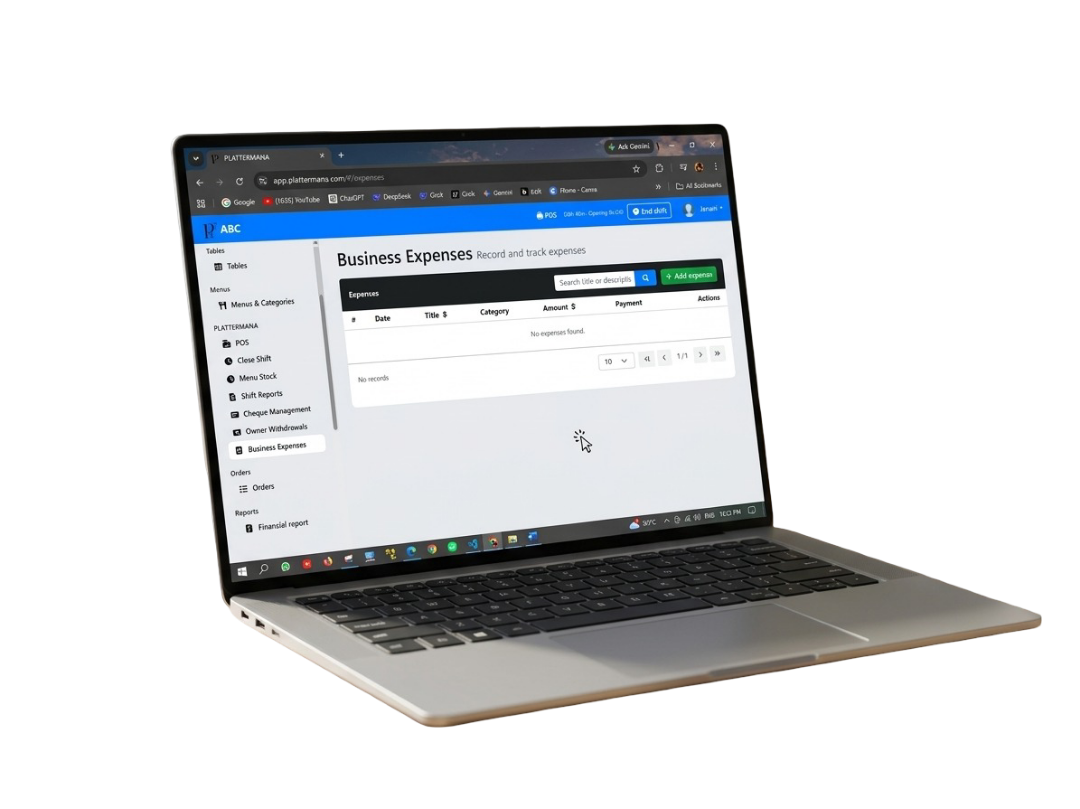
- Records all business-related expenses.
- Tracks daily, monthly, and operational costs.
- Helps maintain financial control of the business.
- Supports adding and managing expense records.
Financial Report
Financial Reporting & Analysis
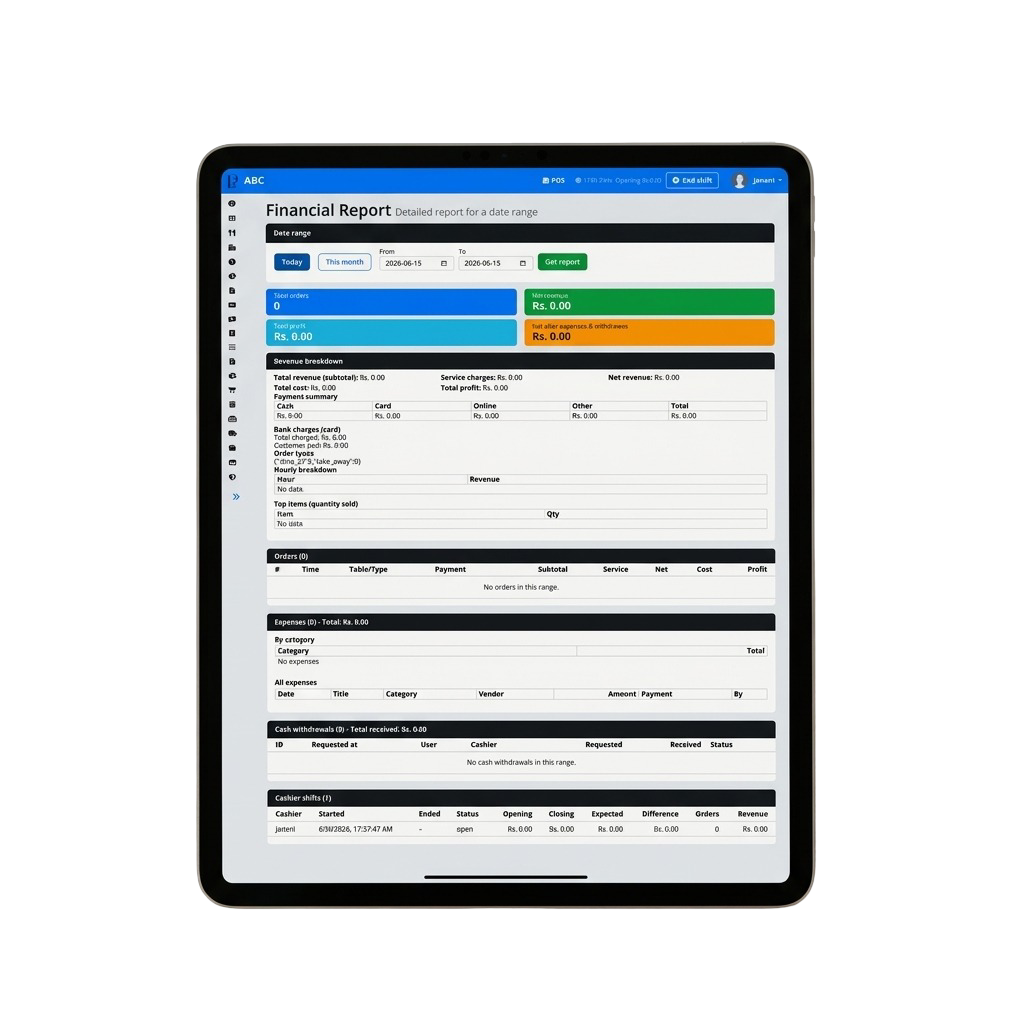
- Provides a detailed financial breakdown over custom date ranges.
- Displays key metrics like total orders, net revenue, total profit, and net cashflow at a glance.
- Tracks payment breakdowns across cash, card, online, and other channels.
- Automatically logs hourly revenue patterns and top-performing menu items.
Order & Transaction Tracking
- Monitors real-time and historical order details within selected dates.
- Captures critical order metadata including time, table/order type, and payment status.
- Logs granular financial breakdowns per order, including subtotal, service charges, cost, and profit margins.
- Keeps an audit trail of active and past orders to minimize discrepancies.
Cash Workflow & Shift Management
- Tracks individual cashier shifts with precise start and end timestamps.
- Records opening cash balance, expected closing amounts, and actual closing figures.
- Automatically calculates and highlights any cash differences or variances.
- Manages cash withdrawal requests, approvals, and current status for complete security.

Operator note
We focus on operational clarity—fewer spreadsheets, fewer “who has the latest numbers?” moments, and faster decisions during service.

Operator note
We focus on operational clarity—fewer spreadsheets, fewer “who has the latest numbers?” moments, and faster decisions during service.

Operator note
We focus on operational clarity—fewer spreadsheets, fewer “who has the latest numbers?” moments, and faster decisions during service.
Testimonial
What teams care about
during service
Speed, accuracy, and accountability matter more than flashy dashboards. Plattermana is built around the rhythms of real shifts and real audits.
Read updatesEvaluation
What to validate
in back office
Back office is where “truth” is decided: counts, costs, approvals, and exports. If these workflows are clunky, teams will route around the system—and your reporting will quietly rot.
Talk to us
Purchasing
Receiving, invoices, and price drift
Inventory
Counts, transfers, waste, and reconciliation
Expenses
Approvals, attachments, and period close
Reporting
Exports your accountant will actually accept